> For the complete documentation index, see [llms.txt](https://renownedgames.gitbook.io/ai-tree/llms.txt). Markdown versions of documentation pages are available by appending `.md` to page URLs; this page is available as [Markdown](https://renownedgames.gitbook.io/ai-tree/integrations/mirror-network.md).
# Mirror Network
Instructions for installing the integration.
Mirror
{% hint style="success" %}
Integration already available in AI Tree.
{% endhint %}
To Install it go to **Renowned Games -> AI Tree -> Integrations**.
Find *Mirror Network* and click **Import** button.
AI Tree Integrations window
{% hint style="success" %}
The Package Manager will check the integration for dependencies and if there are missing, it will offer to install them or view.
{% endhint %}
Integration installer dialog
Click **Import** button to install integration.
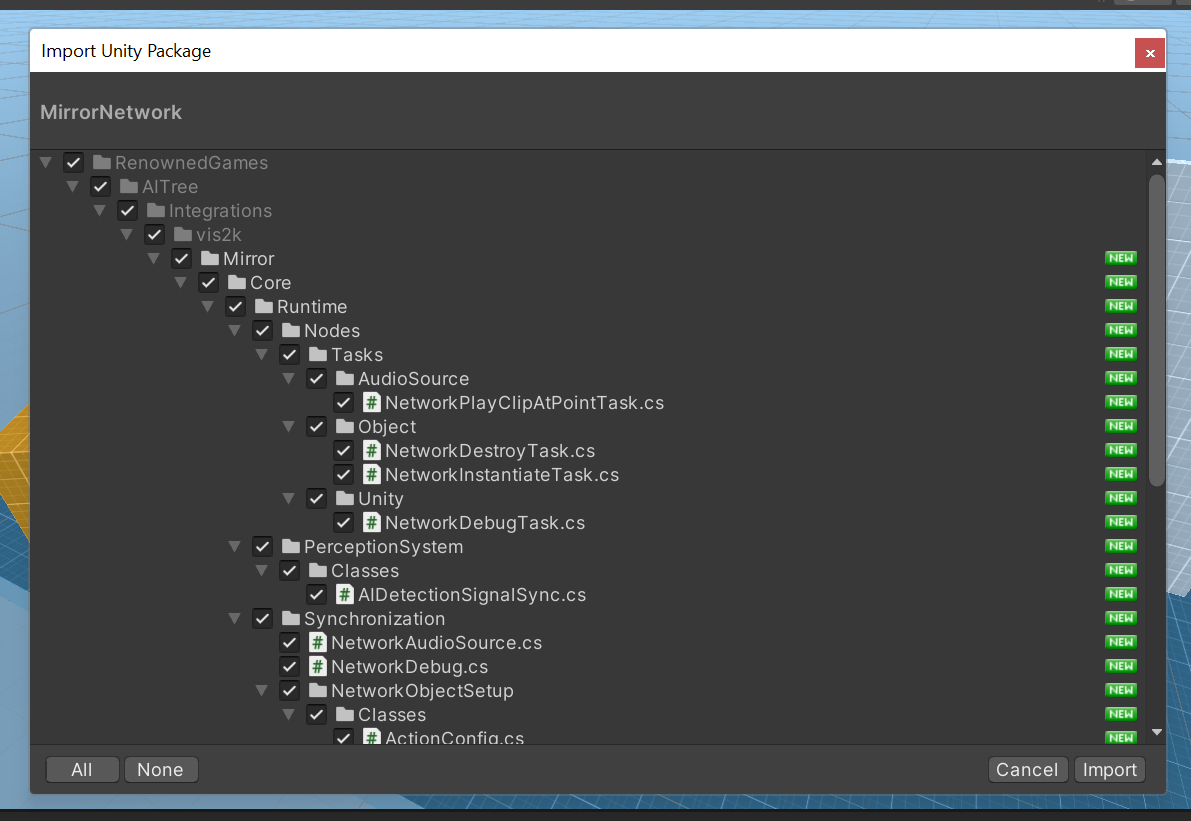
Mirror Network import window
After that will opened Import Window, click **Import** button to complete install.