> For the complete documentation index, see [llms.txt](https://renownedgames.gitbook.io/ai-tree/llms.txt). Markdown versions of documentation pages are available by appending `.md` to page URLs; this page is available as [Markdown](https://renownedgames.gitbook.io/ai-tree/integrations/playmaker/set-runner-active.md).
# Set Runner Active
Action description and basic instructions
Change active state of target Behaviour Runner.
To add this state open **Action Browser** and double click on
* **AI Tree/Set Runner Active**
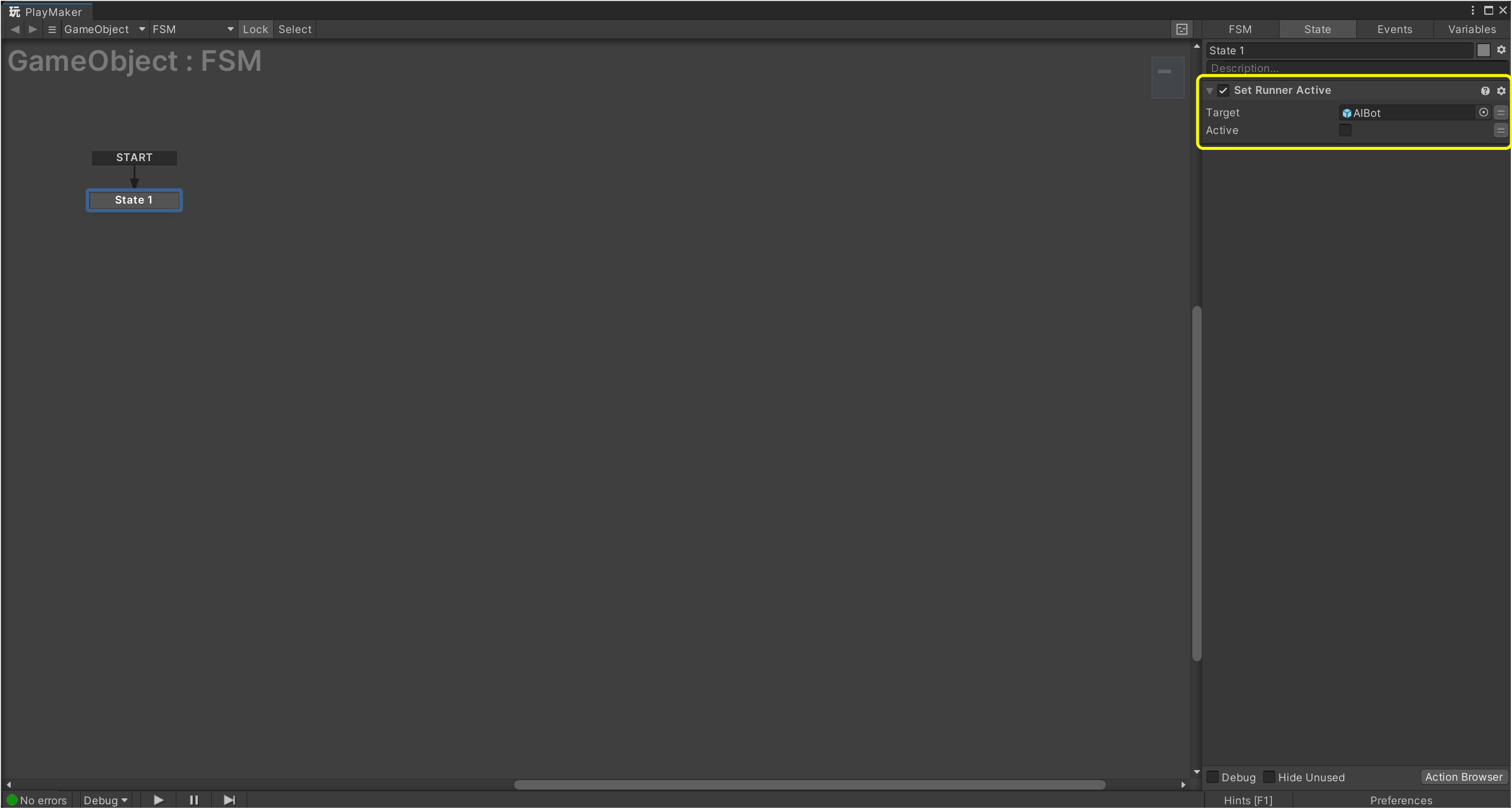
This action has a number of fields, that are highlighted in picture below.
Set Runner Active action
### Fields
Name
Description
Target
Object variable of Behaviour Runner target.
Active
New active state.
{% hint style="info" %}
Target can be a direct link to a Behaviour Runner component, or a game object with a Behaviour Runner component.
{% endhint %}